Time tracking for freelancers
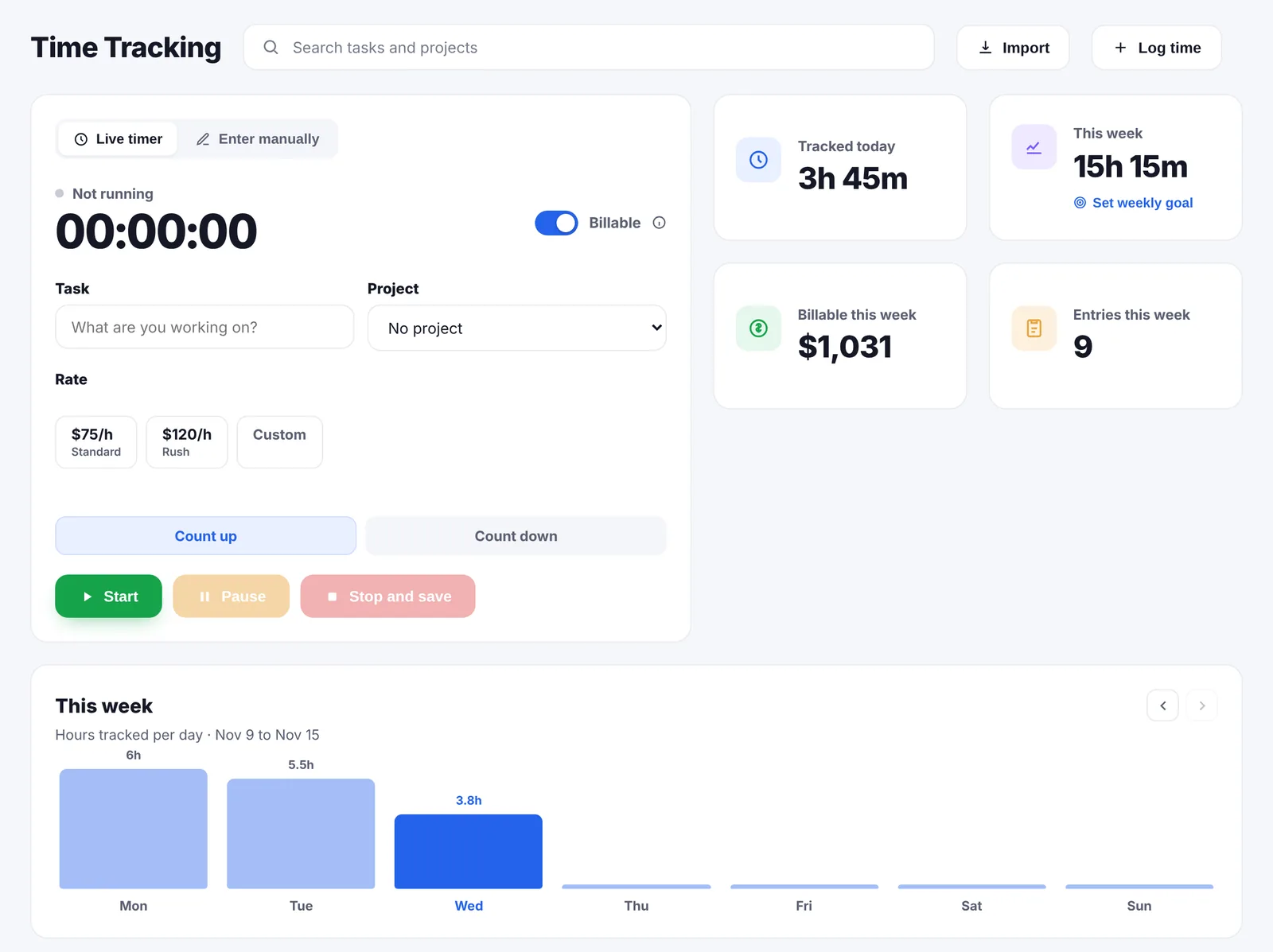
A timer on the task, counting up or down, or hours typed in afterwards. Every billable hour with a rate lands on a draft invoice for that project, so the invoice is mostly written by the time the work is finished.
Everything on this page is in the one plan at $14.99 a month, with no limit on hours, projects or clients.
Quick answer
Go Lancer's timer starts from the task and counts up or down, and hours can be typed in afterwards as a number or as a start and end time. Each entry belongs to a project and a task, is marked billable or not, and can carry a rate. Billable time with a rate goes onto a draft invoice for that project by itself. A weekly hours goal keeps a running total for today and the week with the billable value next to it, and hours already tracked from Toggl, Clockify or Harvest can be imported.
The timer
You start it from the task you are about to work on, so the entry is already filed when you stop. It counts up, or counts down if you set a target for the session.
- Or type the hours in. A number of hours, or a start and an end time, for the sessions you forgot to start.
- Every entry belongs somewhere. A project and a task, so the hours are never a loose list you have to sort out later.
- Billable or not. A switch per entry. Non-billable time still counts towards your week; it just never reaches an invoice.
- A rate per entry. Clients and projects carry a default hourly rate, and an individual entry can have its own.
- On the phone. Go Lancer installs from the browser onto a phone, and the timer is one tap away.
I loved how user-friendly it all was! My absolute favorite was the time tracker.

Where the hours go
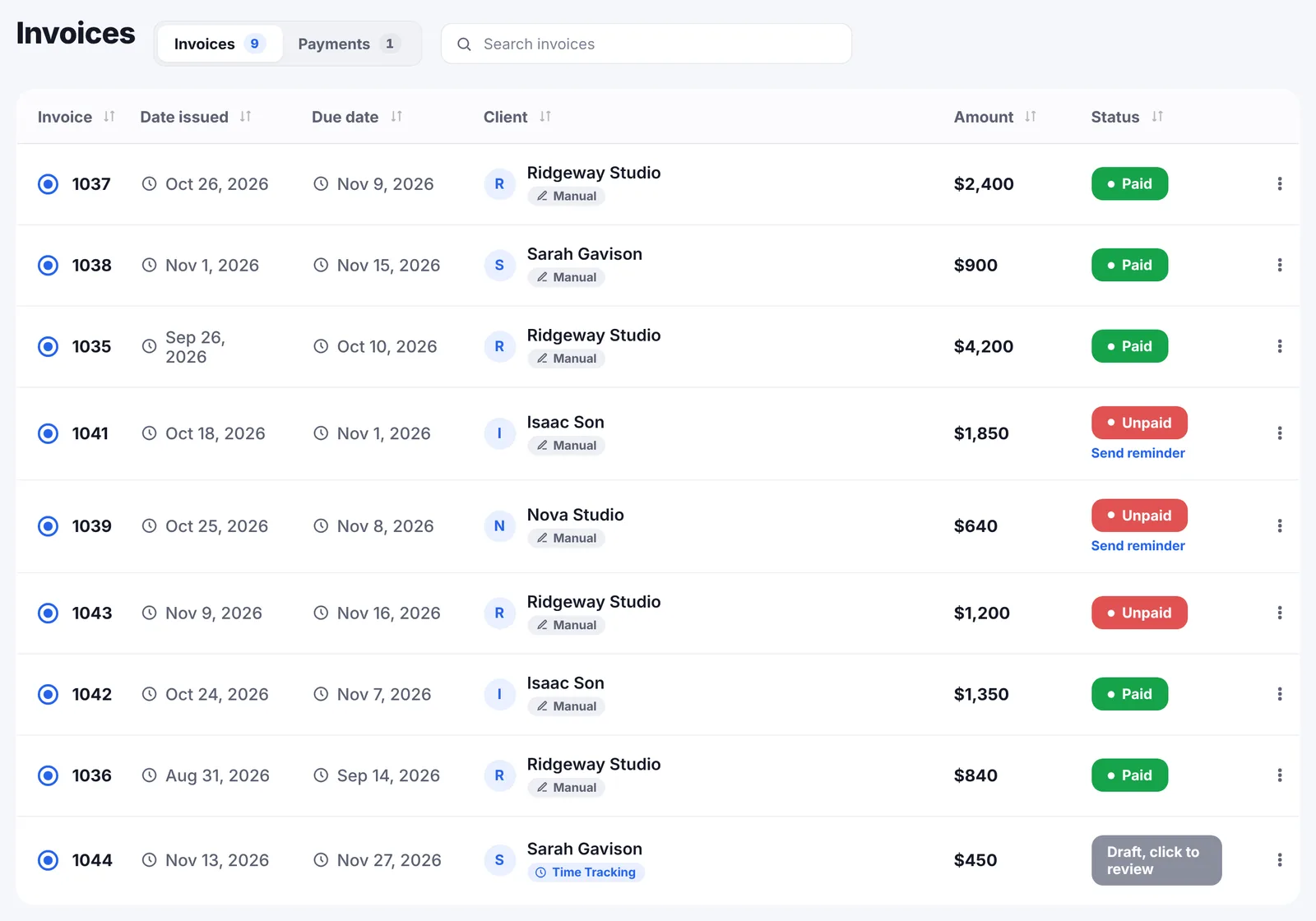
This is the part that makes the tracking worth doing. Billable time with a rate on it lands on a draft invoice for that project as you track it. There is no step where you open a timesheet, filter it, total it and copy the result into an invoice.
At the end of the month the draft is waiting with the hours already on it. You open it, check it, and send it. The invoicing page covers what happens next, including the reminders that chase the client if it is not paid.
For a client who wants to see what the hours went on, there is a PDF hours report to send with the invoice or on its own.
The PDF a client can read
Hours in a spreadsheet are a thing you argue about. Hours in a document with your name on it are a thing that gets paid.
Tick the entries you want and Go Lancer builds a summary you can edit before it becomes a PDF:
- A title and who it is for. Pick the client and their company, contact, address and email come with them.
- Entries grouped by project, each group with its own hours, billable hours and amount, and a total underneath.
- Rows you can drop. Take an entry out of the report without touching the record behind it.
- Rates you can override for this document alone, from your saved rates or a figure you type. The time entry keeps the rate it had.
- Money on or off. One switch leaves out rates and costs entirely, for the client who wants to see the hours and not the arithmetic.
- A note at the end, if there is something to explain.
Then download it. It carries your logo, or no logo at all if you have not set one, and nothing on it says Go Lancer. Same for the invoice PDF: the only name on anything your client receives is yours.
Your week, as a number
Tracking hours is only useful if you look at the total. Go Lancer keeps it in front of you.
- A weekly hours goal, with a running total for today and for the week.
- The billable value of the week next to the hours, so you can see what the week is worth and not only how long it was.
- Unbilled hours on the dashboard. Hours you tracked but have not invoiced are the most common quiet loss in freelancing, so they get their own figure.
If you want to work out what a week comes to before you have an account, the free billable hours calculator does the same arithmetic in the browser.
Hours you already tracked
Nobody starts from zero. Go Lancer imports existing time entries from Toggl, Clockify and Harvest with an API token you paste in, which is not stored, or from an Excel or CSV file or a published Google Sheet.
You can also keep tracking where you are and bring the hours over each month, if you would rather not move the habit.
When the week gets too long
Go Lancer was built with freelancers who overwork, so the hours feed a few settings most trackers do not have.
- A weekly cap. Set it between 30 and 60 hours and the app tells you when you cross it, in the tone you pick: gentle, direct or light.
- A weekend warning, for the Saturdays that were not meant to be workdays.
- A days-off tracker, so time off is counted as deliberately as time on.
What time tracking does not do
- No desktop app and no browser extension. It runs in the browser and installs as a web app on a phone or a computer from there.
- No automatic tracking of the programs and websites you use, and no idle detection.
- No team timesheets, approval or seats. One login, one freelancer.
If any of those is what you came for, Clockify tracks time free for up to 5 users with desktop apps and an auto tracker, and Harvest is free for one person and two projects. Both comparisons say plainly where they win.
Questions people ask
How do I start the timer?
From the task you are working on. The timer counts up, or counts down if you set a target, and it runs in the browser tab. On a phone, Go Lancer installs from the browser and the timer is one tap away.
Can I add hours after the fact?
Yes. Enter the number of hours, or a start and an end time, against a project and a task. Forgetting to start the timer does not cost you the entry.
Do my hours turn into an invoice automatically?
Billable time that has a rate on it lands on a draft invoice for that project as you track it. At the end of the month the draft is already written; you open it, check it and send it.
Where does the rate on an entry come from?
Each client and each project can have a default hourly rate, and an entry can carry its own. Time marked non-billable has no rate and never reaches an invoice.
Can I bring hours over from Toggl, Clockify or Harvest?
Yes. Paste an API token and Go Lancer imports your existing entries; the token is not stored. An Excel or CSV file, or a published Google Sheet, works too.
Can I see how much the week is worth?
Yes. Set a weekly hours goal and Go Lancer keeps a running total for today and for the week, with the billable value of the week next to it. The dashboard also shows hours you have tracked but not yet invoiced.
Does Go Lancer have a desktop app or a browser extension?
No. It runs in the browser and installs on a phone or a computer from there as a web app. There is no separate desktop app, no browser extension and no automatic tracking of the programs you use.
Can my team fill in timesheets?
No. Go Lancer is one login for one freelancer, with no seats, roles or timesheet approval. A team that logs time together is better served by a time tracker built for teams.
Will it warn me if I work too much?
If you want it to. Set a weekly cap between 30 and 60 hours and Go Lancer tells you when you pass it, in the tone you choose: gentle, direct or light. There is also a weekend warning and a days-off tracker.
Can I track time without using the rest of the app?
Yes. You can start with the timer alone and add invoicing, clients and the rest later, or never.
Why should a freelancer track time on fixed-price work?
Because it is the only way to find out what you actually earned per hour. A flat fee that felt generous can turn out to be minimum wage once the revisions are in, and you will not know unless the hours were recorded.
Is it better to track time with a timer or to fill it in later?
A timer is accurate and a reconstruction is a guess, usually a conservative one. Most people under-record when they write the week up on Friday. The compromise is a timer for anything billable and manual entries for everything you forgot to start.
What should a freelancer look for in a time-tracking app?
That the hours reach an invoice without being retyped, that an entry can be marked billable or not, that a rate can sit on the client, the project or the entry, and that nothing is per seat if you work alone.
What is a timesheet?
A record of hours worked, broken down by day and usually by client or project. For a freelancer it has one job: turning hours into an amount nobody argues with.
What are billable hours?
The hours you can charge a client for, as opposed to the ones spent on your own admin, pitching, or learning. Tracking both tells you the real hourly rate behind a fixed fee.
Can I send a client an hours report?
Yes. Select the entries, edit the summary (title, who it is for, which rows and which rates) and download it as a PDF. It is grouped by project with totals, and you can leave the money out entirely if the client only needs the hours.
Does the report have Go Lancer's name on it?
No. It carries your logo, or no logo if you have not uploaded one, and nothing anywhere on it mentions Go Lancer. The same goes for every invoice PDF.
Can I change a rate just for the report?
Yes. An override applies to that document only; the time entry keeps the rate it was tracked at.
Keep going
Invoicing Pricing Go Lancer vs Clockify Go Lancer vs Harvest Billable hours calculator Hourly rate calculator Work days calculator About Go LancerTrack a week and see
Seven days, your own projects and hours in it, and a founder who answers email. Then $14.99 a month, cancel any time.