Think back to your busiest week this year.
Three clients were waiting on you. Their notes were in your email, your hours were in a spreadsheet, and your invoices were in another app. You spent twenty minutes looking for one file. Then you saw that a client still hadn't paid for work you finished a month ago.
You're good at your work. But the setup around it never got your attention, because there was always another deadline first.
December is when you can finally fix it. Clients slow down for the holidays, and you get a few quiet days to yourself. In January the emails pile up again. Whatever you set up now will be ready when the work comes back.
I picked three tools for freelancers. One books your calls (Calendly), one gets you paid from abroad (Wise), and one runs the actual work (Go Lancer). You don't need all three on day one. But put together, though, they take you from the first call to the paid invoice.
How I picked these freelancer apps
I kept the rules short. Each app had to be free to try, with a free plan or a trial. It had to suit someone working solo, because nobody needs software built for a sales team of fifty. It had to fix something freelancers moan about every week, like booking, getting paid or keeping track of work. And it had to work for people in the US, Canada, the UK and Australia.
That ruled out the big business suites built for agencies. They're powerful, but you end up paying for team seats you'll never use and losing a weekend to setup.
One note before we start: every price here comes from the app's own pricing page, checked in October 2026. Prices change, so give them a look before you sign up.
Quick picks
| App | Best for | Free option | Paid price |
|---|---|---|---|
| Calendly | Booking calls with clients | Free plan | From $10/month, billed yearly |
| Wise | Getting paid by clients abroad | Free to sign up | No monthly fee. One-time fee for business account details, plus a fee when you convert money |
| Go Lancer | Running projects, time and invoices | 7-day free trial | $14.99/month |
1. Calendly: best for booking client calls
You've been in this thread. "Does Tuesday work?" "Tuesday's packed, Thursday at 3?" "3 your time or mine?" Four emails in, and the call still isn't booked.
Calendly cuts that thread down to one link. You tell it when you're free and connect your calendar. The client opens the link and picks a slot, and Calendly won't offer times that clash with something already on your calendar.
It gets even better with clients in other time zones. A designer in Toronto with a client in Sydney stops doing time zone math, because the client sees open times in their own time.
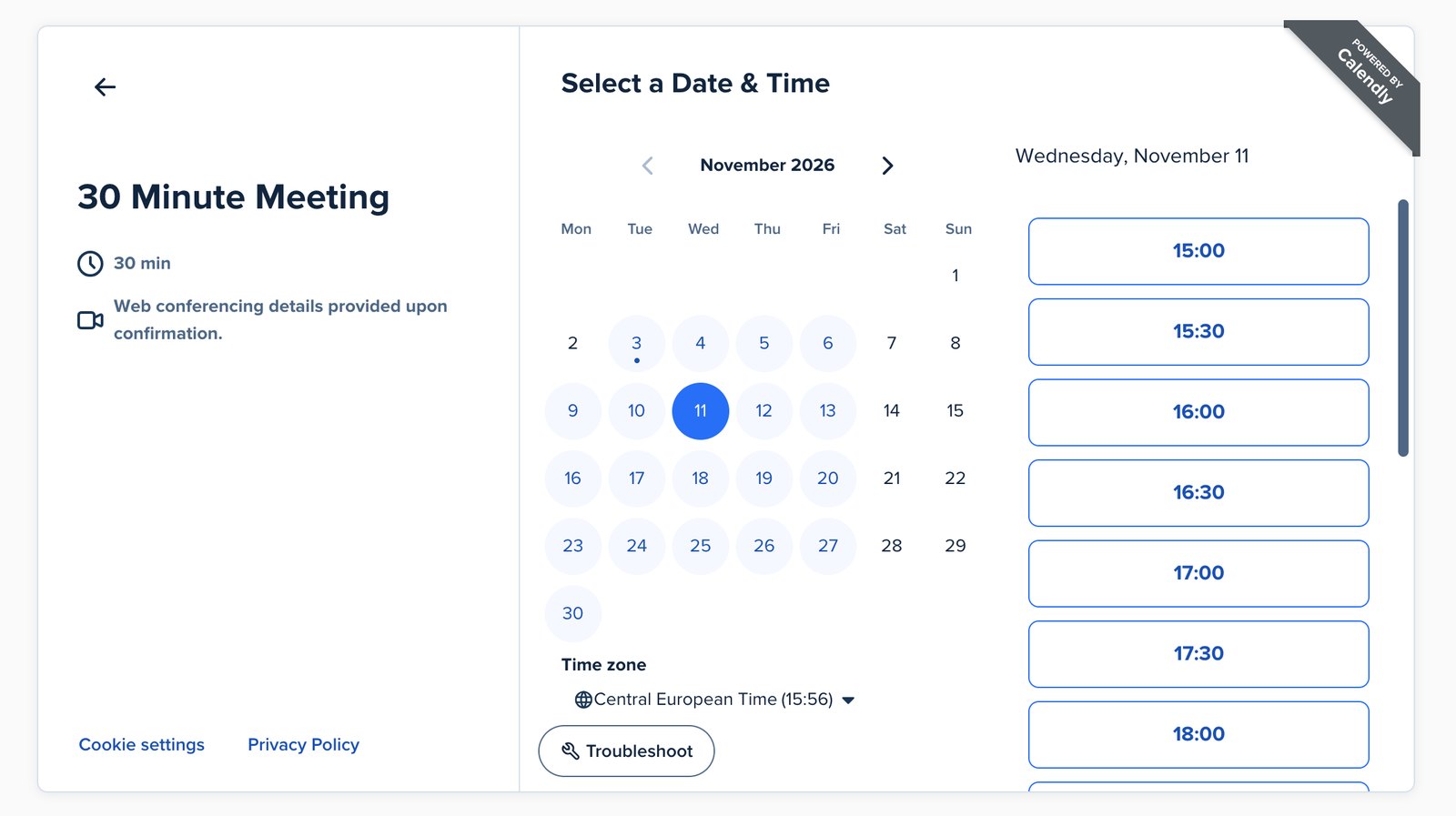
Quick facts: The free plan gives you one event type and one connected calendar. Standard costs $10 a month billed yearly, or about $12 if you pay monthly. It works with Google and Microsoft calendars, plus Zoom, Google Meet and Teams. (Calendly pricing)
If all you need is one intro call link, stay on the free plan. Stick the link in your email signature and on your website. I'd add it to the bottom of every proposal too.
Pay for Standard and you get reminder emails before each call, which cuts down on no-shows. You also get cancellation rules and the option to take payment at booking through Stripe or PayPal. If you sell paid strategy sessions, that payment option is the reason to upgrade.
Keep in mind: The free plan only has one meeting type, so a free intro call plus a paid consult means upgrading. Free booking pages also carry Calendly's branding. And once the client says yes, Calendly's job is done. It doesn't follow the project or the invoice.
Do this before January: Set up a "January intro call" link now. When clients come back with fresh budgets, you reply with a link instead of a calendar puzzle.
2. Wise: best for getting paid by clients abroad
A UK copywriter sends a $2,000 invoice to a US client. The client pays by international wire, the bank takes its fee, and then it converts the dollars at a rate a bit worse than the one on Google. What arrives is less than the invoice, and the statement doesn't say why.
Wise gets around this by giving you local bank details in other countries. Open a Wise Business account and you can get a US routing number, a UK sort code, an EU IBAN and more. Your US client then pays you the same way they'd pay any US supplier, with no international wire involved.
Converting is clear too. Wise uses the mid-market rate (the one you see on Google) and shows the fee before you hit confirm.
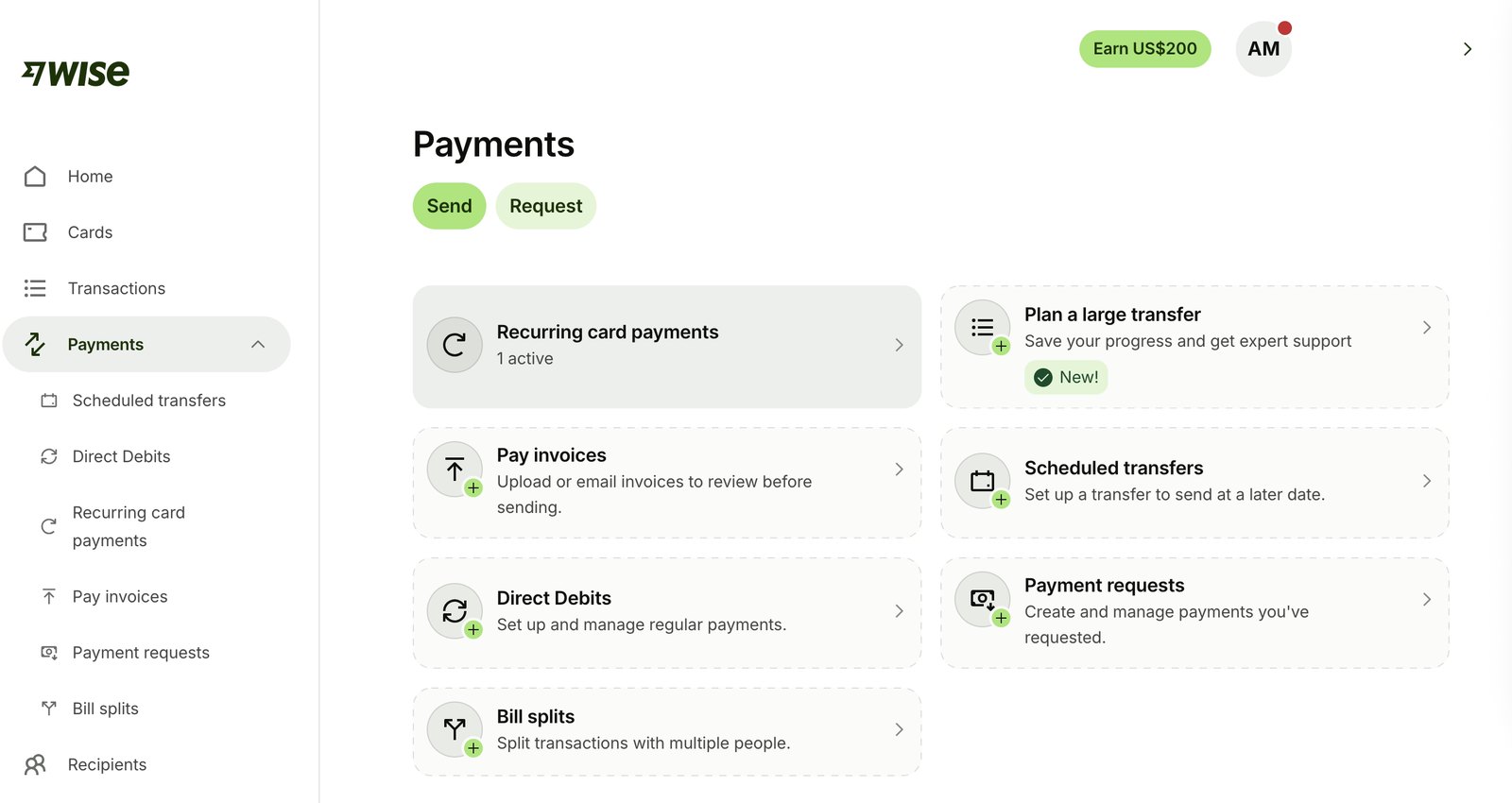
Quick facts: You can get paid in 23+ currencies with local account details and convert to 40+. There's no monthly fee. Business account details cost a one-time fee that depends on your country (31 USD in the US). Conversion fees depend on the currency and start at 0.23% in the US. Local payments like US ACH come in free in the main currencies, while Swift and wire payments carry a small fixed fee. (Wise Business pricing)
For freelancers, the best part is looking local. Your US client sees US bank details on your invoice and doesn't think twice about it. You can also keep money in more than one currency, so dollars stay dollars until you need them, or they go straight to your US software subscriptions. Wise can send invoices and payment links too, and it syncs with Xero, QuickBooks, FreeAgent and others, which saves you some pain at tax time.
Keep in mind: Wise is for moving and holding money. It won't do bank things like loans or cash deposits. Fees and features also vary by country, so check Wise's availability page for yours. Its invoices are basic and can't pull in hours from a time tracker.
Do this before January: Open the account in December, not on the day a new client asks for your bank details. Wise has to check your ID and business details first, so leave room for that.
3. Go Lancer: best for running your freelance business in one place
The third app is about the work itself.
Think about the tabs you have open on a regular Monday. Client spreadsheet, time tracker, invoice app, a notes app with "Sarah feedback v3" buried in it, and your calendar. That's five tools, and none of them know the others exist.
Go Lancer puts those pieces into one workspace made for solo freelancers.
Its founder, Valentina Cvackova, spent months on calls with freelancers before she built it, and 90+ freelancers tested the app before launch. Their feedback shaped what you'll find inside.
Open the app and you land on Today's Priorities: overdue invoices, late projects and anything due today, most urgent first. So on Monday morning you're not guessing where to start.
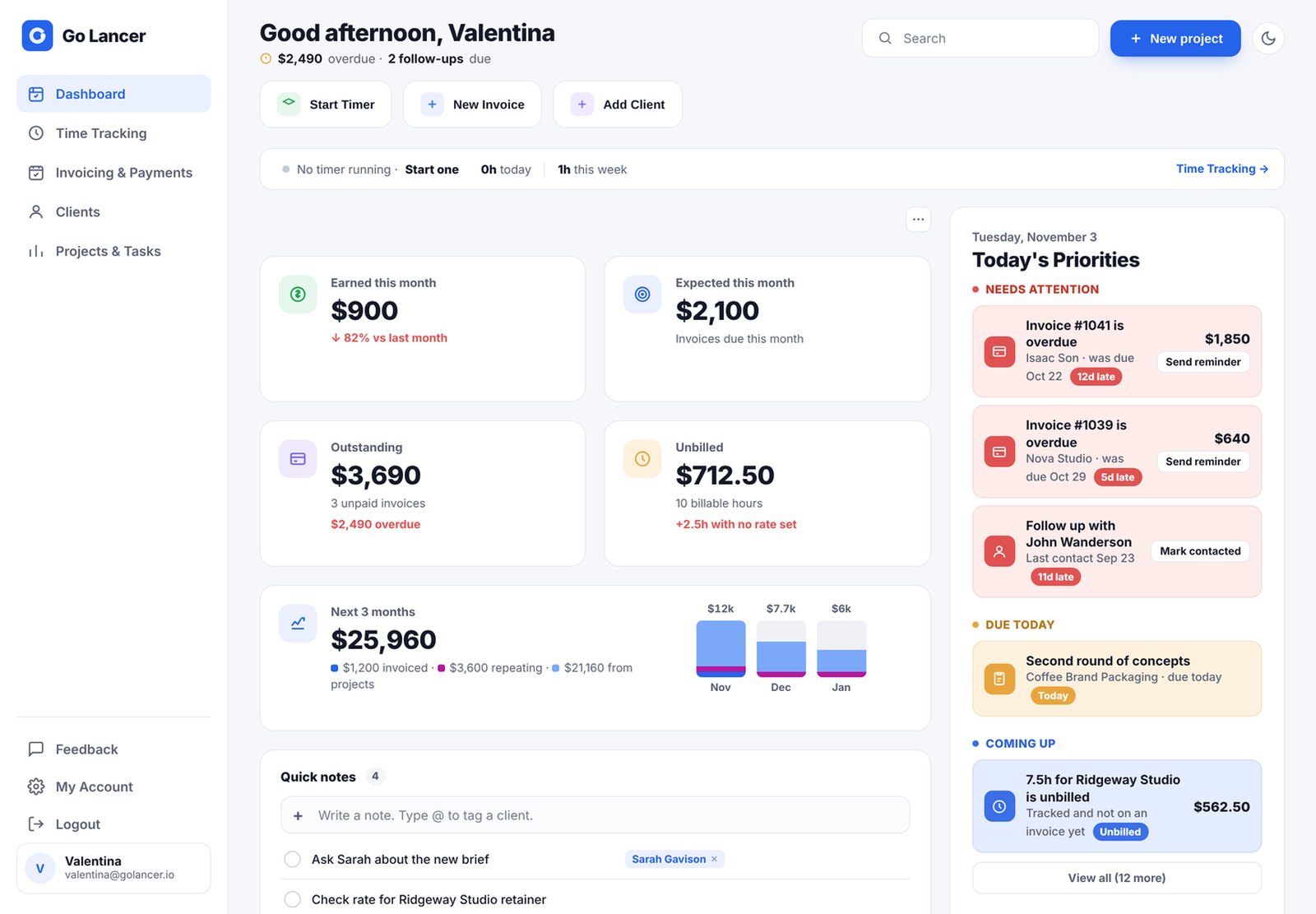
Time tracking is inside your tasks. Start the timer and the hours save to that project. Forgot to hit start? Add the time afterwards. Those hours then go into your invoices, where you can itemize every project, task and hour, or flip one toggle to show a single total. Retainer clients can get recurring invoices that go out through Stripe, or Go Lancer can prepare them for you to send by hand.
Every client also gets a profile page with notes, files, payment preferences and their project history, so the brief from March is one click away. Flip one toggle and your projects and tasks appear in Google Calendar on your phone. There's an AI assistant as well. Ask it what's next, have it sum up your day, get a proposal or contract drafted as a PDF, or check how the month is shaping up from your projects and invoices.
You know the "small logo tweak" that somehow becomes three rounds of changes? Had the timer been running, those hours would already be sitting on the project by invoice time, and you wouldn't be piecing the week back together from memory.
Quick facts: $14.99 a month, or 17% less if you pay yearly. There's a 7-day free trial. It works with Google Calendar and Stripe, and it was tested by freelancers in 30+ countries.
Keep in mind: It's made for solo freelancers, so an agency with a team and approval steps should look elsewhere. It's also a young product, and new features are still landing. The upside of being young is that Valentina still talks to users herself, so your feedback goes straight to the person building it.
Do this before January: Start the trial in a slow week and add your clients, open projects and unpaid invoices. Then start the timer on your first January project, and your first invoice of the year will already have real hours on it.
Try Go Lancer free for 7 days at golancer.io
How the 3 apps compare
| Calendly | Wise | Go Lancer | |
|---|---|---|---|
| Main job | Booking calls | Getting paid across borders | Running projects, time, clients and invoices |
| Free option | Free plan (1 event type) | Free to sign up | 7-day free trial |
| Paid price | From $10/month, billed yearly | No monthly fee, pay per conversion | $14.99/month |
| Standout feature | One booking link for every client | Local bank details in other countries | Tracked hours that turn into invoices |
| Biggest limit | Free plan is basic | Fees and features vary by country | Built for solo freelancers, not teams |
Since they barely overlap, they slot together fine. Calendly gets the intro call booked. Go Lancer handles your job and the invoice. And when the client's overseas, the money lands in Wise.
Which app should you start with?
- Your inbox is full of "what time works?" emails. Start with Calendly's free plan.
- Your clients pay in dollars but you live in the UK. Set up Wise.
- You use five tools and still miss deadlines. Give Go Lancer a try.
- You're new to freelancing. Pick one. Go after whatever is costing you the most time or money right now. The rest can wait.
A one-evening winter setup
Block out one quiet evening in December:
- Make your Calendly intro call link and paste it into your email signature.
- Got clients abroad? Open Wise, then swap your new account details into your invoice template.
- Start the Go Lancer trial. Bring in your clients, open projects and anything still unpaid.
- Get the tax dates on your calendar. US freelancers owe the last 2026 estimated tax payment by January 15, and UK Self Assessment closes January 31.
- Chase every unpaid invoice from this year before clients log off for the holidays. In January they'll be buried in their own inbox.
FAQ
What are the best apps for freelancers in 2026?
That depends on the job you need done. Calendly is great for booking calls, Wise for getting paid by international clients, and Go Lancer for managing projects, clients, time tracking and invoices in one place. Start with whichever one fixes your biggest headache.
What tools do freelancers need when they start out?
Three basics: a way to book calls, a way to track your work and hours, and a way to send invoices and get paid. Start on free plans or trials, and only pay once a tool has earned its spot.
What are the best freelance tools in 2026 for getting paid by overseas clients?
Local bank details cost you less than an international wire, because your client pays you like a local supplier. Wise gives you local details in 23+ currencies. Fees differ by country, so compare them for where you live before you pick.
Can one app replace my spreadsheet, time tracker and invoicing app?
Yes, that's what a freelancer workspace like Go Lancer is for. Your projects, clients, time tracking and invoices are in one place, so the hours you track can go straight onto an invoice.
Final thoughts
Nobody needs ten apps. Two or three that each fix something real will beat a pile of logins you never open.
So pick one and start there, whichever is costing you the most right now. The other two will still be around in February, and by then you'll know whether you actually need them.
Try Go Lancer free for 7 days at golancer.io

I'm a copywriter from Pakistan with a soft spot for clever hooks, conversational writing, and sentences that say more with less.