Payment reminders
Off until you switch them on. Once you do: one day before the due date, on the due date, then every 7 days up to three times, in your words, with the client’s name and the amount filled in, and it stops the moment the invoice is paid.
Everything on this page is in the one plan at $14.99 a month, with no limit on invoices or reminders.
Quick answer
Automatic reminders are off until you turn them on in My Account, so chasing stays yours if you would rather do it yourself. Switched on, Go Lancer sends them on a schedule you set: a day before the due date, on the due date, then every 7 days until paid, up to three times by default. The subject and message are your own, in any language, with six placeholders that fill themselves in. Any invoice can opt out of the schedule, you can send a reminder by hand at any time, and quiet hours and away mode hold everything back when you are not working.
The schedule
Switch automatic reminders on once in My Account and every invoice you send follows the same plan:
- One day before the due date. The one that gets most invoices paid on time, because it reaches the client while it is still a diary entry and not a problem.
- On the due date.
- Then every 7 days, up to three times. The interval can be 3, 5, 7 or 14 days, and the count 1, 2, 3 or 5.
Either of the first two can be switched off on its own. Every date is worked out from the invoice’s own due date, so a 30-day invoice and a 7-day invoice both get chased at the right moment rather than on some account-wide calendar.
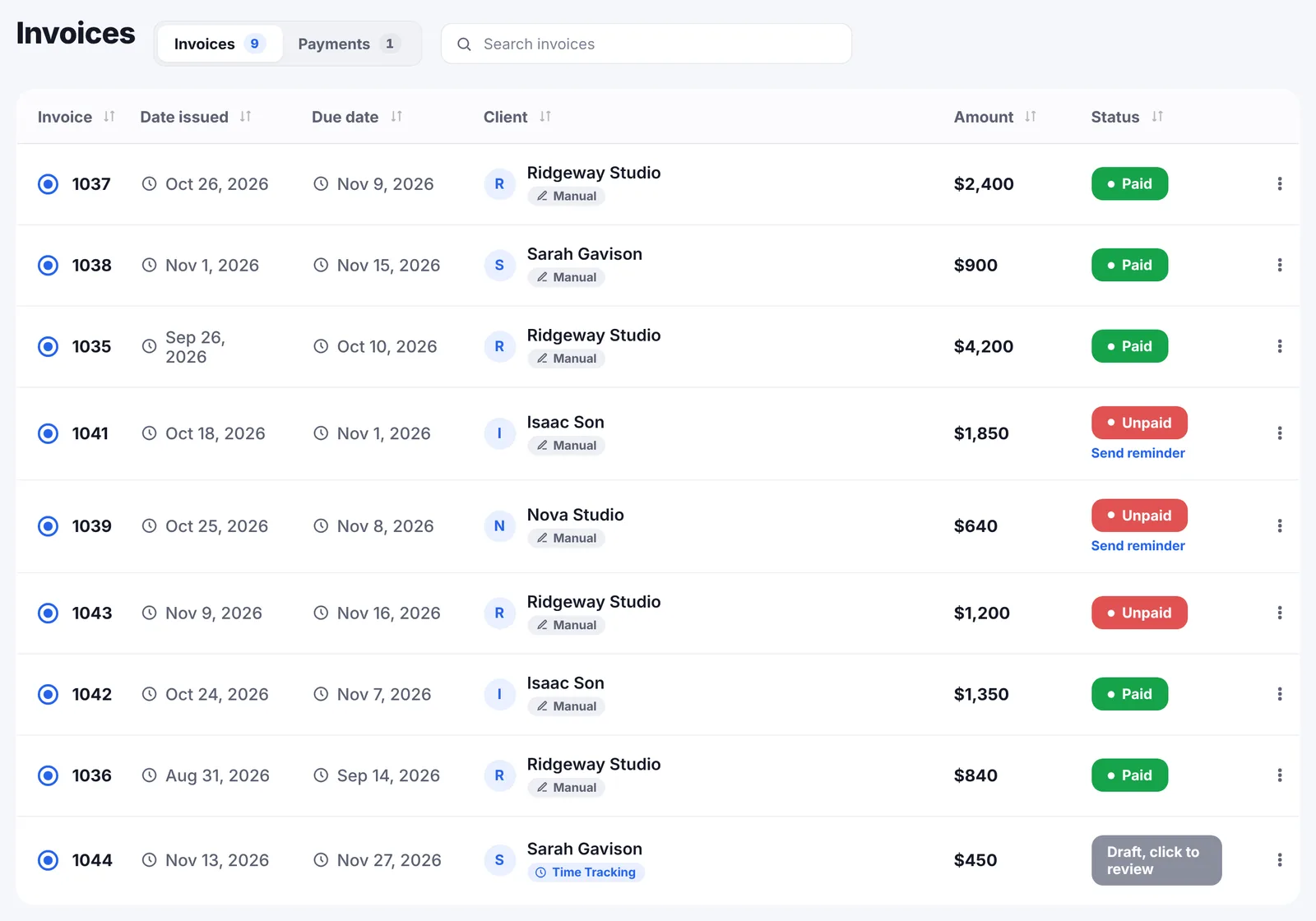
I don’t love invoices, they take time. If follow-ups went out automatically as reminders, that would be huge.
It stops when the invoice is paid
The schedule only runs while an invoice is open. Mark it paid, log a payment that covers it, or let a card payment close it, and the remaining reminders never go. Go Lancer also records when the last reminder went out, so the invoice list shows the state rather than leaving you to remember it.
Your words, not ours
The subject and the body are yours, written once in My Account and used for every reminder. Six placeholders fill themselves in:
{{client_name}}, the first name when the client is a person and the company name when it is not{{invoice_number}}and{{amount}}, in the invoice’s own currency{{due_date}}and{{days_late}}{{business_name}}
Write it in whatever language your clients read. The default, if you change nothing, says the invoice is still open, gives the number, the amount and the due date, and asks when it is scheduled for payment. It is deliberately short and unapologetic.
If you want to see what a reminder should sound like before writing your own, our payment reminder email templates give four of them, from the first polite nudge to the final notice.
Per invoice, and by hand
The account switch is only the default. Each invoice can override it, on or off, from the invoice itself, because some clients want chasing and some are a phone call instead.
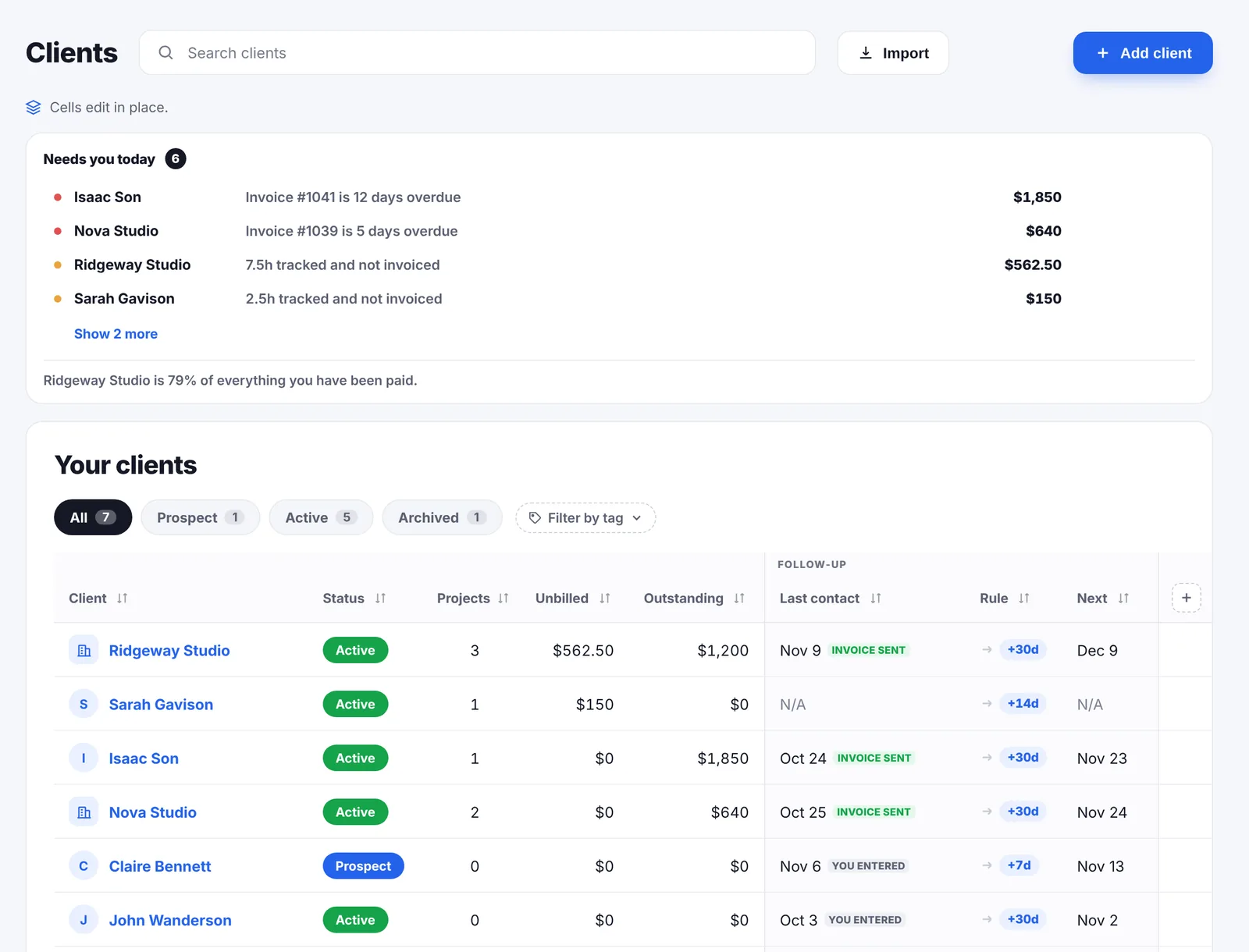
You can also send one yourself at any moment. It opens filled in from your template, with the client’s email already there, and you can edit every word before it goes. Go Lancer stamps the date so the next automatic reminder does not land on top of it.
Nothing goes out at 2am
Reminders carry your name, so they follow the wellbeing settings. Quiet hours hold anything that falls outside the hours and days you chose, 6pm to 9am and the weekend by default. Away mode stops every reminder until the date you set, which is the difference between a holiday and a holiday your clients can tell you are on.
Why this is the feature that pays for itself
Freelancers are not paid late because clients are cruel. They are paid late because an invoice that nobody follows up on sinks in a queue, and because chasing feels rude to the one person who is owed the money. A schedule removes the decision: the reminder goes because it was the seventh day, not because you worked up to it.
The client page then shows what each one actually does with the reminders, as an average of days to pay, which is how you find out who needs a deposit next time.
What reminders do not do
- They do not chase an invoice you sent some other way. Reminders go out for invoices sent through Go Lancer, because that is where the due date and the client’s email are.
- They are not a debt collector. No legal notices, no escalation to an agency, no late fees applied automatically.
- No SMS or WhatsApp. Email only.
- No reply handling. The client’s reply goes to your inbox, not into Go Lancer.
Questions people ask
When do the reminders go out?
By default one day before the due date, on the due date, then every 7 days until paid, up to three times. You can switch off either of the first two, change the interval, and set how many times it repeats, from once to five.
Do they stop when the invoice is paid?
Yes. The schedule is worked out against the invoice's due date and only runs while the invoice is still open. Mark it paid, or let a card payment mark it, and nothing further goes out.
Who writes the reminder?
You do. The subject and the message are your own text, in any language, saved in My Account. Six placeholders fill themselves in: client name, invoice number, amount, due date, days late and business name.
What does the default message say?
That the invoice is still open, with the number, the amount and the due date, and a question about when it is scheduled for payment. It is a starting point, not a template you are stuck with.
Does it use the client's first name?
Yes. If the client is a person it uses the first name, and if it is a company it uses the company name, so a reminder does not open with a full legal name.
Can I turn reminders off for one invoice?
Yes. The account switch is the default and each invoice can override it in either direction, from the invoice itself. Some clients want chasing and some do not.
Can I send a reminder myself?
Yes, at any time, from the invoice. It opens with the message filled in, you can edit it before it goes, and Go Lancer records when it was last sent.
Will it email a client at night?
Not if you have set quiet hours. A reminder that falls inside the hours or days you marked quiet waits until the window is over. Away mode stops reminders entirely until the date you set.
How many reminders are too many?
Three after the due date, about a week apart, is enough for most freelancers: it reads as a process rather than as pestering. If a client has not answered by the third, the next step is a phone call or a late fee, not a fourth email.
How do I ask a client to pay without sounding rude?
State the invoice number, the amount and the due date, ask when it is scheduled for payment, and leave the feeling out of it. A short factual message is harder to take badly than an apologetic one, and much harder to ignore than silence.
Why do freelancers get paid late?
Mostly because nobody chased. Accounts departments pay what is in front of them, and an invoice with no follow-up goes to the bottom of a pile. The fix is a schedule that runs whether or not you feel like sending it.
Should I charge a late fee?
It depends on whether your contract says you can. The threat matters more than the money, and it only works once the reminders have gone out and been ignored. Our late fee calculator works out the figure and gives you a line to paste.
What is a payment reminder?
An email that tells a client an invoice is due or overdue and asks when it will be paid. Sending them on a schedule rather than when you remember is what separates a process from a confrontation.
What is dunning?
The business term for the sequence of reminders that chases an unpaid invoice, from a polite nudge to a final notice. Most freelancers do it by hand, badly, and late.
Keep going
Invoicing Clients and follow-ups Wellbeing Payment reminder email templates Late fee calculator How to invoice as a freelancer Compare with other apps About Go LancerLet it do the chasing
Seven days, your own clients and invoices in it, and a founder who answers email. Then $14.99 a month, cancel any time.