Projects and tasks for freelancers
A project belongs to a client and carries its own rate, value and dates. Tasks sit inside it with subtasks and estimated hours, on a list, a board, a calendar or a Gantt chart. The hours you track against them become the invoice.
Everything on this page is in the one plan at $14.99 a month, with no limit on projects, tasks or clients.
Quick answer
In Go Lancer a project belongs to a client, or stands alone, and holds a description, notes, start and due dates, a status, a priority, a project value and a default hourly rate. Tasks inside it have subtasks, estimated hours, dates, a priority and a status. A project setup you repeat can be saved as a template, with its tasks, length, rate and invoice preset. Projects have five views: Default, List, Board, Calendar and Gantt. Tasks and deadlines sync with Google Calendar, and billable hours tracked against a project land on a draft invoice for it.
A project belongs to a client
That connection is the point of the whole app. Because the project knows whose it is, the hours know what they are worth and the invoice knows who to go to.
- A client, or nobody. A project can stand alone for your own work or for something you are starting before the client is confirmed.
- Dates and status. A start date, a due date, and a status of to do, in progress or completed, plus a priority.
- A default hourly rate. New time entries on the project pick it up, so you are not retyping a rate every session.
- A project value. What the whole job is worth. The part not yet invoiced feeds the forecast of the months ahead.
- Description and notes. The brief and the loose thoughts, on the project rather than in another app.
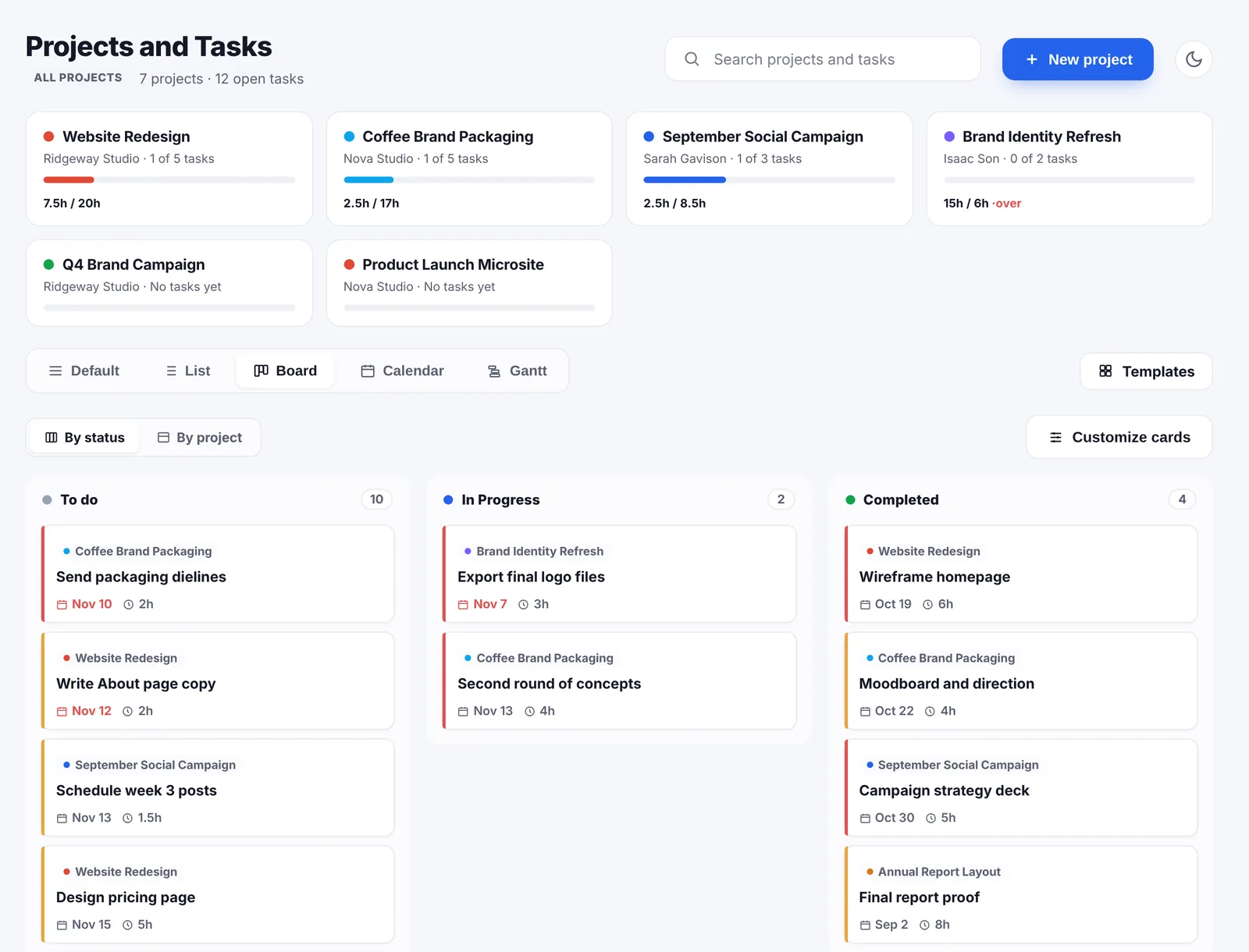
The task and project interface goes really in-depth with task breakdowns, and I like that.

Tasks inside the project
Tasks are where the work is actually broken up. Each one can have:
- Subtasks, for the jobs that are really five jobs.
- Estimated hours, so you can hold the estimate next to what the work really took.
- A start and a due date, a priority and a status.
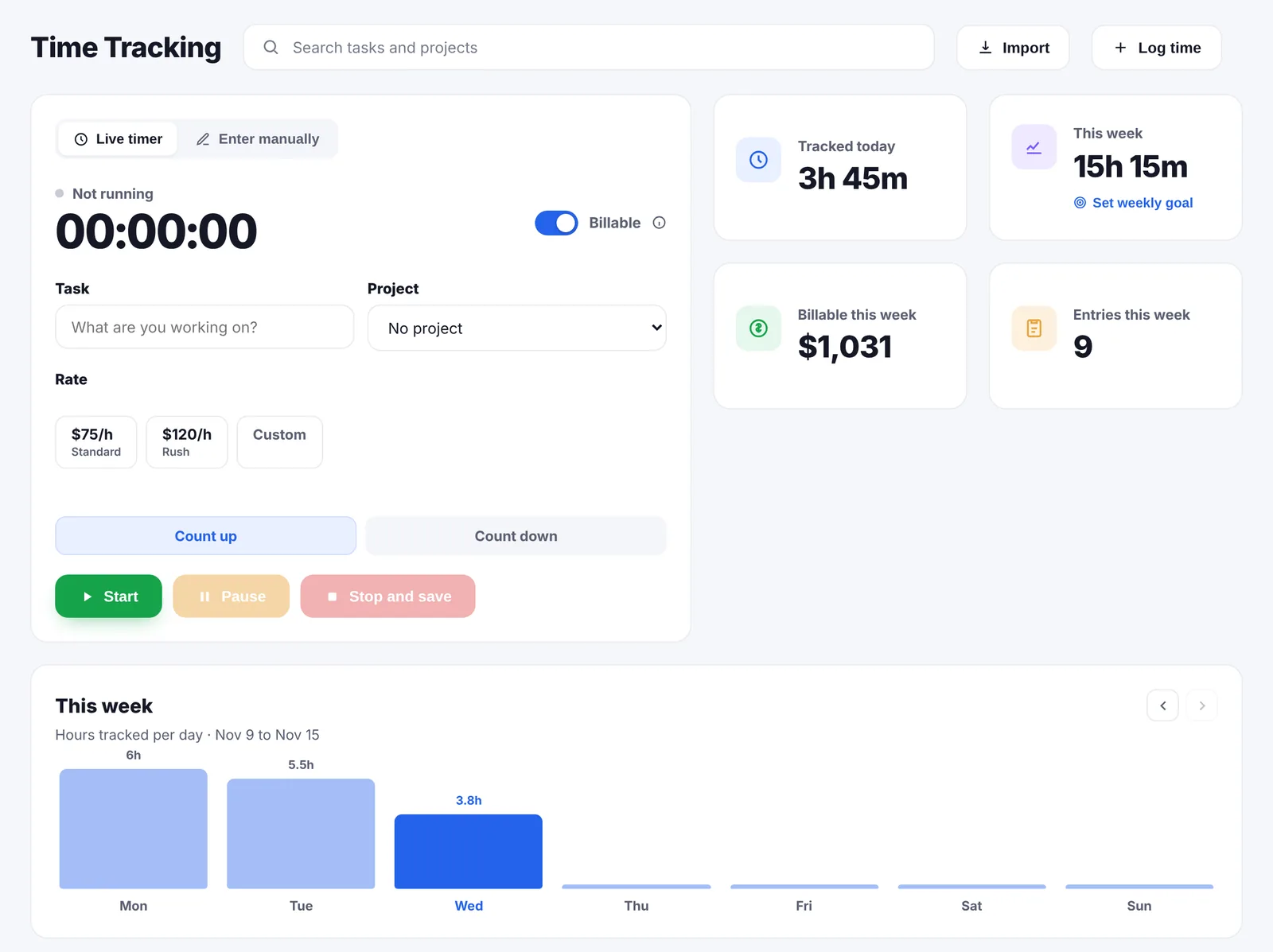
- A timer. You start tracking from the task itself, which is how the hours end up filed correctly. The time tracking page covers that side.
Five ways to look at the same work
Different days call for different views, so projects can be seen as:
- Default, the overview you land on.
- List, when you want everything at once.
- Board, a kanban board for what is moving and what is stuck.
- Calendar, when the question is what lands this week.
- Gantt, when two deadlines are about to collide.
The calendar you already use
Go Lancer syncs with Google Calendar in both directions. Tasks and project deadlines go to a calendar you choose, and the events already in your Google Calendar appear in the Go Lancer calendar, so client calls and deadlines sit on the same grid.
There is also an optional morning email listing the tasks due tomorrow, for people who would rather be told than remember to look.
Templates for the project you run again and again
If you do the same kind of job for different clients, you can save the setup once and reuse it. Templates sit behind their own button in Projects, and a template can be written from scratch or saved from a project you have already set up the way you like.
Each template holds:
- A list of tasks, each with its due date set as a number of days from the project's start, so the dates work out whenever you use it.
- A default length in days, which becomes the project's due date.
- A default hourly rate.
- An invoice preset: flat fee, hourly or milestones.
- A name and a description, so two similar ones stay apart.
To use one, you pick the client, the start date and a name. Go Lancer shows a preview of the tasks with their dates worked out before it creates anything, and each template counts how many times you have used it.
Where projects turn into money
Most project tools stop at the task being ticked. In Go Lancer the project carries on into the invoice.
- Hours onto a draft invoice. Billable time tracked against the project, at the project's rate, lands on a draft invoice for that project as you go.
- Unbilled hours on the dashboard. Work you have done but not yet charged for gets its own figure, because that is the money freelancers lose most often.
- Open projects in the forecast. The remaining value of a project counts towards the months ahead, by its end date, next to unpaid invoices and repeating payments.
What projects and tasks do not do
- No sharing. One login, one freelancer: no seats, no roles, no assigning a task to someone else.
- No client portal. Clients get invoices, reminders and an hours report, not a view of the project.
- No proposals or contracts in the app. The free scope of work generator, contract template and project quote calculator on this site give you text to send; they are not stored in the app.
If you need a board you share with a client or a team, Trello is free for up to 10 boards and Basecamp is built for exactly that. Neither sends an invoice.
Questions people ask
Does every project need a client?
No. A project can belong to a client or stand on its own, for your own work, a side project or something you are doing before the client is confirmed.
What can I put on a project?
A description and notes, a start and a due date, a status of to do, in progress or completed, a priority, a project value and a default hourly rate that new time entries pick up.
Can tasks have subtasks?
Yes. Tasks sit inside a project and can have subtasks, estimated hours, a start and a due date, a priority and a status.
How can I look at my projects?
Five views: Default, List, Board (a kanban board), Calendar and Gantt. The same work, arranged the way you want to think about it that day.
Does Go Lancer sync with Google Calendar?
Yes. Tasks and project deadlines go to a calendar you choose, and the events already in your Google Calendar show up in the Go Lancer calendar, so the two are not separate lives.
Will it tell me what is due?
There is an optional morning email listing the tasks due tomorrow, and the dashboard opens on what is due this week along with who owes you money.
How do projects turn into money?
Time tracked against a project's tasks carries the project's rate, and billable hours land on a draft invoice for that project. A project also has a value, and the part not yet invoiced feeds the forecast of the months ahead.
Can I share a project with a client or a colleague?
No. Go Lancer is one login for one freelancer, with no seats, no roles and no client portal. Clients see invoices, reminders and an hours report, not the project itself.
Can I attach a proposal or a contract to a project?
Not inside the app. Go Lancer has no proposals, quotes or contracts. The free scope of work generator and contract template produce text you send yourself.
Is there a limit on projects or tasks?
No. The one plan at $14.99 a month has no limit on projects, tasks, clients or hours.
Can I save a project setup as a template?
Yes. Templates sit behind their own button in Projects. A template holds a list of tasks with their due dates set as day offsets from the start, a default length in days, a default hourly rate and an invoice preset of flat fee, hourly or milestones. You can write one from scratch or save an existing project as one.
What happens when I use a template?
You pick the client, the start date and a name. Go Lancer shows a preview of the tasks with their dates worked out from the start date, then creates the project with them. Each template also counts how many times you have used it.
How should a freelancer organise projects?
One project per piece of client work, with its own rate, value and due date, and tasks inside it. Splitting by client alone makes it hard to see what is still owed; splitting by task alone loses the money.
Does a solo freelancer need project management software?
Only if the work has more than one moving part per client. For a single deliverable a list is enough. It earns its place once you are holding several projects with different deadlines and want to see which ones are late and which are unbilled.
What is the difference between a project tool for teams and one for freelancers?
Team tools are built around assigning work, permissions and seats, which is overhead with nobody else in the account. A freelance tool spends that effort connecting the work to the money instead: hours, rates and what is still to be invoiced.
What is a kanban board?
Work shown as cards in columns, where each column is a stage and moving a card means moving the work along. It suits a freelancer who wants to see what is waiting, what is in progress and what is done without reading a list.
What is a Gantt chart?
Tasks drawn as bars along a calendar, so length means duration and position means when. It answers the question a list cannot: what overlaps with what, and what slips if this one does.
Keep going
Time tracking Invoicing Pricing Go Lancer vs Trello Go Lancer vs Basecamp Project quote calculator Scope of work generator About Go LancerPut one project in and see
Seven days, your own projects and clients in it, and a founder who answers email. Then $14.99 a month, cancel any time.